Entity Data Types
On the left-hand side of the Entity Builder, a section labelled “Data Types” shows all the possible types of data one could use to create their Entity. Hovering over each section’s i icon produces a tooltip that defines the qualities of each data type, to greater allow the user to decide what data type would best suit their field for maximum efficiency in data processing:
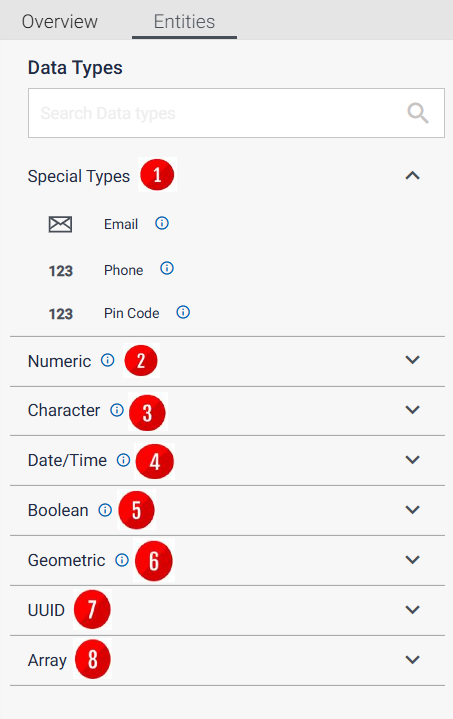
- Special Types: Data types used for personal identification. Here, a tooltip is available for each data type, to differentiate properly between them.
- E-mail - a standard e-mail address field
- Phone - maximum 15 characters to allow for potential formatting e.g. + and () for area codes, and - for number group splits
- Pin Code - a six-digit field for Indian zip codes
- Numeric:
- Integer
- Big Int
- Decimal
- Float
- Real
- Character:
- Char
- Varchar
- Text
- Date/Time:
- Date
- Time
- Timestamp
- Interval
- Boolean
- Geometric:
- Point
- Line
- Lseg
- Box
- UUID
- Array
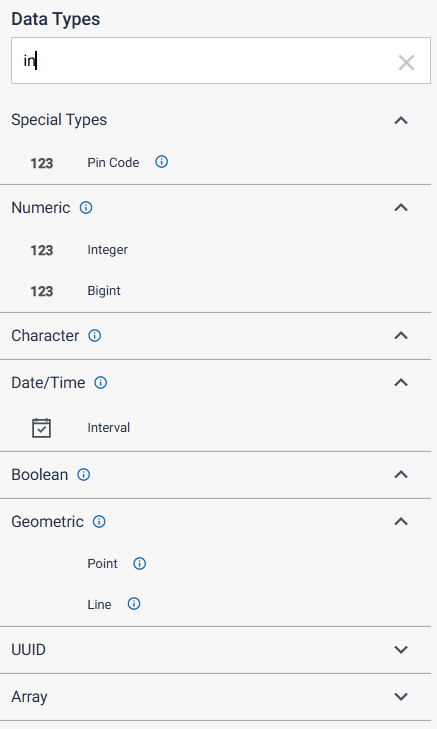
The user can also manually search for their desired data type using the search bar above Special Types: