Authentication & Access
Overview
This section of the Features panel controls features concerning authentication and overall access onto the platform. This is where most features concerning overall security are controlled.
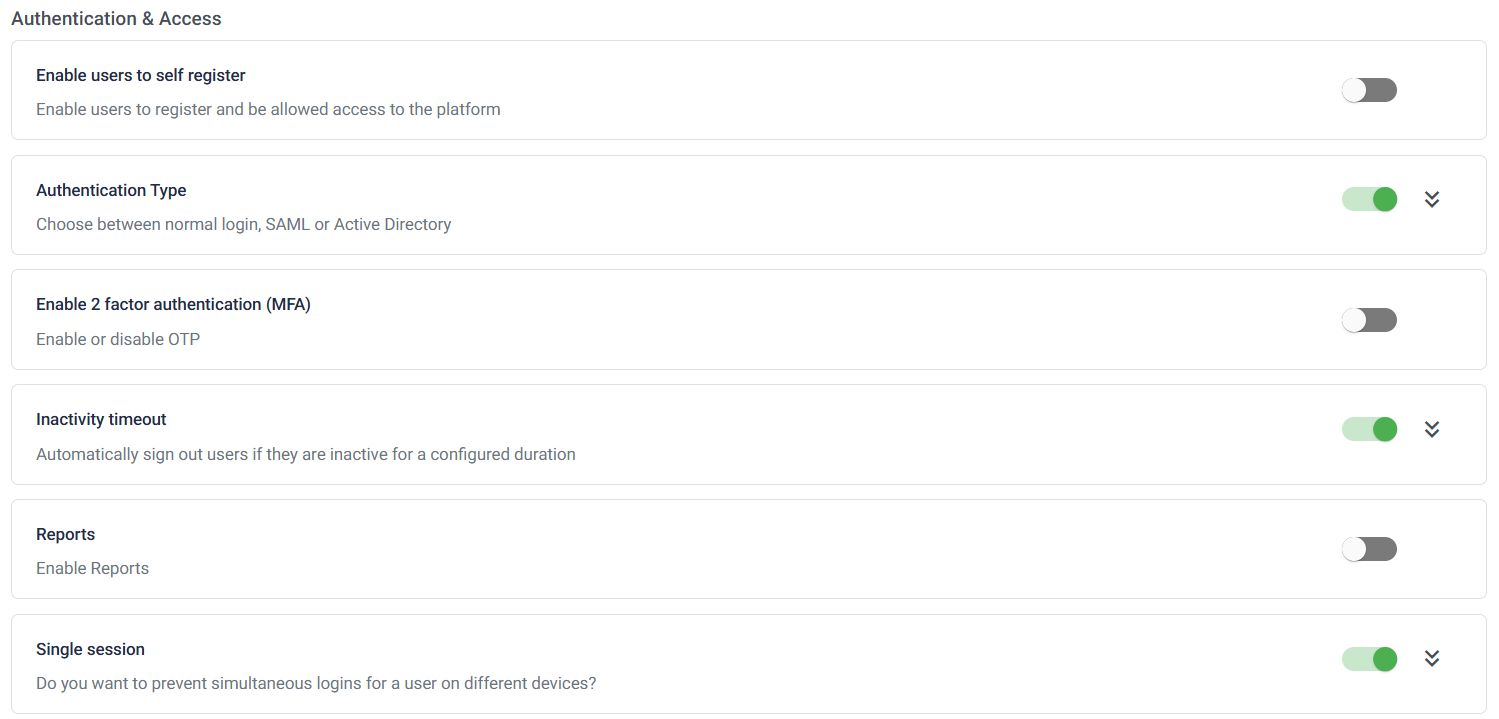
Self-Registration: This feature will allow users to create their own profile, as opposed to having profiles created for them, giving them access to the platform and greater control over their log-in details.
Authentication Type: Enabling this feature will give admins the option to choose the kind of authentication they want to implement on the platform for users to comply by when signing in.
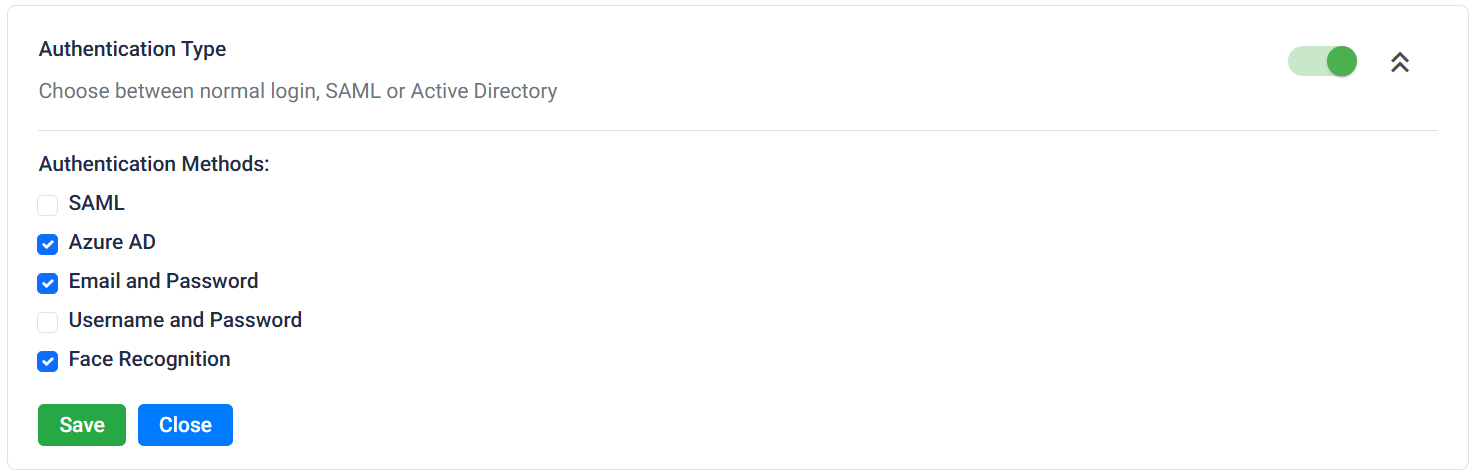
Authentication Type Two-Factor Authentication: This feature gives admins the option to enforce 2FA over the sign-in of every user, ensuring greater security and preventing potential simple hacking.
Inactivity Timeout: Enabling this feature will warn users that they’ve not registered any form of activity in some time on the platform while they’re logged in, and enforce logging out if the inactivity exceeds a defined duration.

Inactivity Timeout configuration Reports: Activation of this feature will enable visibility of metrics through certain media, for example regular reports & dashboards, for admins to monitor user activity & performance.
Single Session: Enabling this feature will ensure that a user won’t be able to log into the website on any other device if they’re already logged in. This will ensure a greater level of security over sensitive data.

Single Session