User Properties
Overview
User Properties allow you to attach custom attributes to individual user accounts. These properties function as additional data fields for storing user-specific information tailored to your organization’s requirements.
Key Features
- Custom Attributes: Define properties specific to your organization’s needs
- Flexible Configuration: Create and modify properties based on business requirements
- Organization Mapping: Map user properties to organization-wide properties for streamlined data management
- Enhanced Organization: Support better user segmentation and categorization
Common Use Cases
User Properties can be configured for various organizational needs, including:
- Department: Categorize users by their organizational department
- Location: Track physical location or regional assignment
- Employee ID: Store unique employee identifiers
- Role Classification: Assign custom role designations beyond system roles
- Project Assignment: Track project or team affiliations
Accessing User Properties
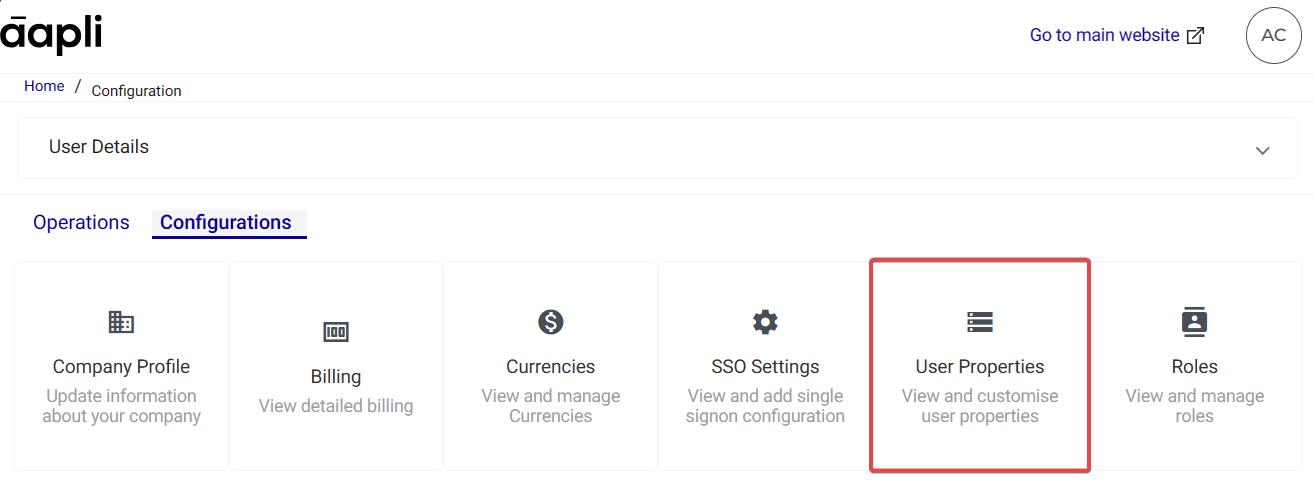
- Navigate to the Configurations tab in the admin panel
- Select User Properties from the available options
Benefits
- Enables personalized user management within the system
- Improves data organization and user segmentation
- Facilitates efficient user data import processes
- Supports custom reporting and analytics based on user attributes
| Related Topics: User Management | Organization Properties | Data Import |