E-mail and Notifications
This section enables the Simple Mail Transfer Protocol (SMTP), for admins to send automated e-mails and notifications to users regarding updates on the platform.
To enable SMTP in its entirety, the following details will need to be entered:
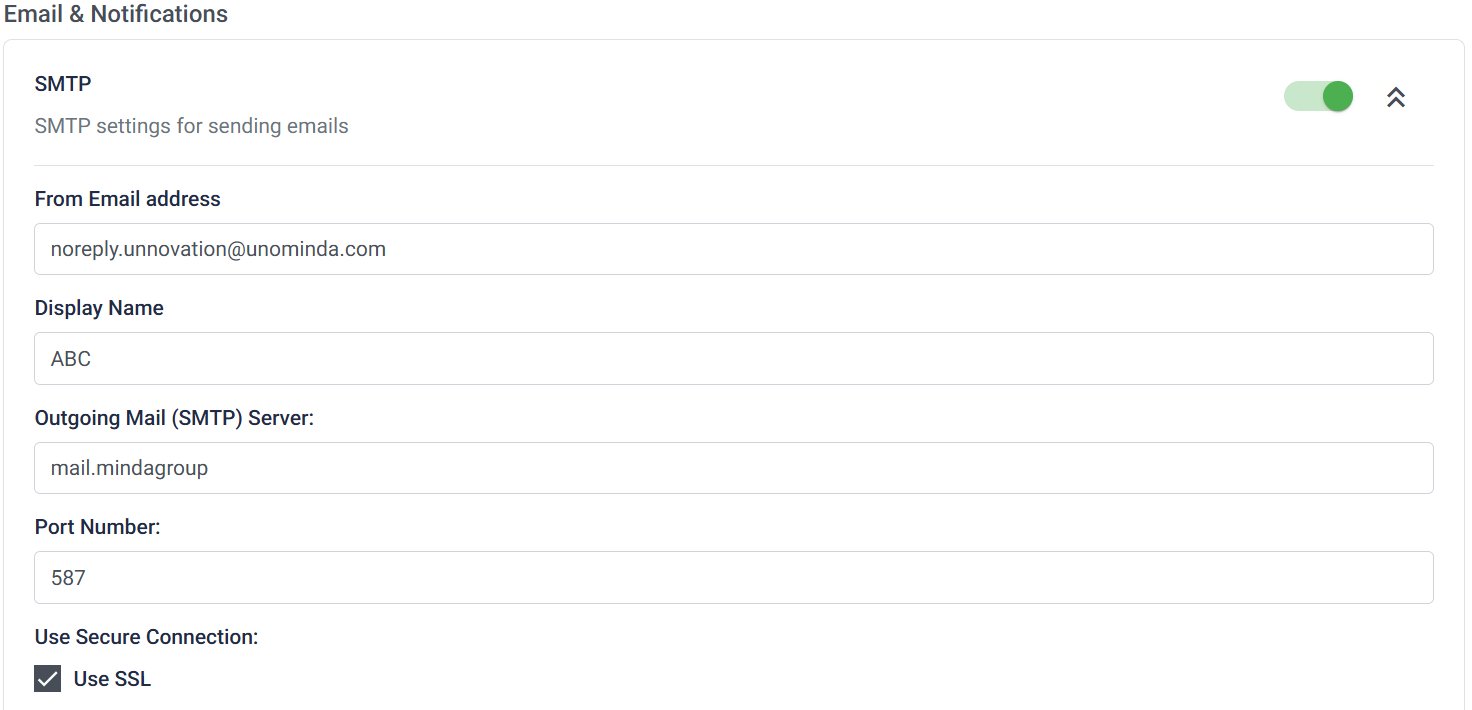
From E-mail Address: The e-mail address that needs to be used for sending automated e-mails to users.
Display Name: The name that should appear on these automated e-mails.
Outgoing Mail (SMTP) Server: The server from which these automated e-mails should be sent.
Port Number: The port on which the SMTP server should be registered to send these automated e-mails.
Use Secure Connection:
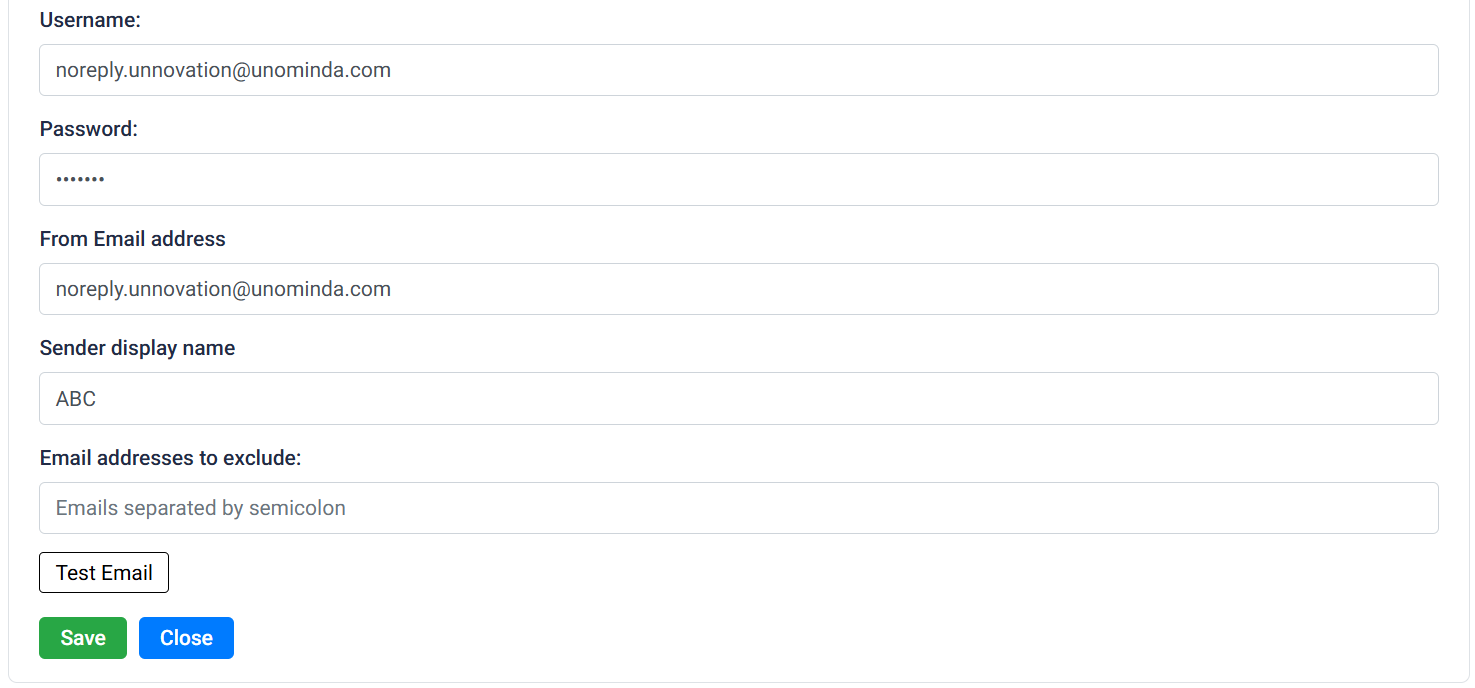
Username:
Password:
From E-mail Address:
Sender Display Name:
E-mail Addresses to Exclude: A list of e-mail addresses to whom the user does not want these automated e-mails to be sent to.
The ability to test the dispatch of these e-mails is also available, just to confirm that the settings are applied properly. Once satisfied, click Save; otherwise, click Close.